Overview |
 Comments (0) |
 Ratings (0) |
 Download |

|
||||||||||||||||||||
|
Search
Software
Advertisements!
Free-downloads
|
Options for Xilisoft Video Converter
Advertisement
Xilisoft Video Converter
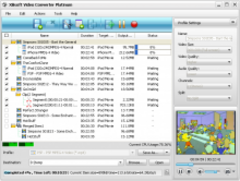
 Xilisoft Video Converter, an all-in-one video and audio converter, can convert video and picture from one format to another, as well as audio to audio and video to video. As a WMV converter, it also supports ASF, AVI,MPEG, 3GP, RM, MP4 for video, WMA, MP3, OGG, AAC, AU, AC3, MP2 for audio, JPG, PNG, GIF, BMP, SWF for picture and animation. The video and audio created with the MPEG converter can be played on iPod, PSP, iPhone, BlackBerry, Apple TV, etc.
Key Features 1.Clip and merge segments Clip any video or audio segment to convert, and merge them into one; 2.Split and merge Convert one source file to several, or merge several source files into one; 3.Video preview Preview the source video or video customized; 4.Batch processing It provides batch conversion and multithreading, you can convert multiple files at the same time; 5.Rich profiles Provides rich profiles for you to choose, and enables you to customize and save your profile for future use; 6.Custom file size Can customize the size of output audio and video file for compatibility of different devices; 7.Multi-profile for one Allow to add several profiles for one to output various formats simultaneously; 8.Run background Run in the background to use other programs. Xilisoft Corporation focuses on the users' experience all along, offering the most easy-to-use software and consummate service. Advertisement
|
|||||||||||||||||||