Overview |
 Comments (0) |
 Ratings (0) |
 Download |

|
||||||||||||||||||||
|
Search
Software
Advertisements!
Free-downloads
|
Options for DriveScrubber
Advertisement
DriveScrubber
 Protect your personal information when you sell, donate, or recycle your computer! DriveScrubber permanently erases hard drive data so that that your private information can never be recovered.
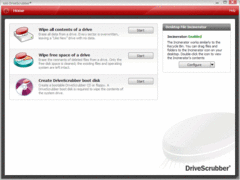
Erase the entire hard drive, or wipe just the free space on your hard drive to scrub file remnants while leaving the operating system and applications intact. DriveScrubber works within Windows, and cleans unwanted data from your primary hard drive or partition, your flash drive, your USB hard drive, and even your digital camera. Deleting a file removes the reference to that file, but not the file itself. Space occupied by the file's data is marked as "free space," and unless the data is overwritten, it remains on the drive, as does the evidence of the source file. Even reformatting a hard drive is not enough to erase the data on it. Formatting removes file allocation information, and it performs other housekeeping functions for data storage. But it does NOT erase data. DriveScrubber cleans your drives above Department of Defense standards, ensuring that deleted files stay out of reach, and even shredding stubborn malware that cannot be removed by other methods. Competing products may take hours or even days to clean drives, but DriveScrubber uses the fastest, most optimized methods while maintaining its proven security strength ? bringing you peace of mind at maximum speed. What's more, you can easily launch DriveScrubber from within Windows, so you can wipe entire drives without requiring a cumbersome boot disk. Advertisement
|
|||||||||||||||||||