Overview |
 Comments (0) |
 Ratings (0) |
 Download |

|
||||||||||||||||||||
|
Search
Software
Advertisements!
Free-downloads
|
Options for Dexster
Advertisement
Dexster
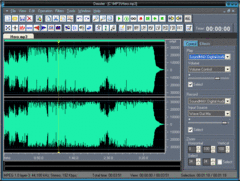
 Dexster is a perfect audio editor tool for your music production that supports many popular audio formats and features audio cd burning. Dexster provides cool and easy-to-use interface that allow you to edit an audio file visually (Cut, Copy, Delete Select, Delete Silence, Paste, Paste From File, Mix, Mix From File); apply different effects (Amplify, Compressor, Delay, Envelope, Equalizer, Expander, Fade, Flanger, Invert, Normalize, Phaser, Reverb, Reverse, Silence, Stretch, Trim, Vibrato, Chorus, Pitch Shift, Distortion); apply VST effects; Vocal Reduction; Noise Reduction; Clicks/Pops Reduction; Mix Stereo Channels; Insert noise and silence in an audio file; Insert and change described information about a marker; Apply different filters to the selected part of an audio file (Band Pass Filter, FFT Filter, High Pass Filter, High Shelf Filter, Low Pass Filter, Low Shelf Filter, Notch Filter, Peak EQ Filter, Finite Impulse Response Filter); Record an audio file from a microphone or from other input device; Play an audio file or any part of it; Convert an audio file from one format to another; Extract audio from video files; Merge Audio Files; Extract audio from audio cd. Dexster supports audio format of uncompressed WAV PCM, compressed WAV (ADPCM, GSM, DSP and others), MP2 (MPEG 1/2 Layer-2), MP3 (MPEG 1/2 Layer-3), MP4 Audio, M4A Audio, AAC Audio, FLAC Audio, VOX (Dialogic ADPCM), WMA (Windows Media Audio 9), RAW audio (PCM, A-LAW, U-LAW), MPC (MusicPack), AVI (audio track), Audio CD, Ogg Vorbis,G.721, G.723, G.726, AIFF (Apple audio format) and AU (UNIX audio format). Dexster also support audio cd burning for your music production.
Advertisement
|
|||||||||||||||||||