Overview |
 Comments (0) |
 Ratings (0) |
 Download |

|
||||||||||||||||||||
|
Search
Software
Advertisements!
Free-downloads
|
Options for Data Quik
Advertisement
Data Quik
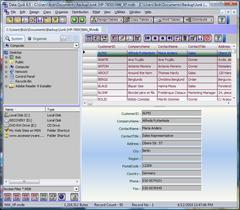
 Find, Copy, Create, Edit, Convert, Query, Print, Email DBase, Paradox, Access, Excel, and Text Files. Convert DBase, Paradox, Access, and Excel Files.Exchange Data between Database Files, using the entire file or selected Records and Fields. Data Quik-The Database Copy Utility is an add on Database utility that performs the following functions:
1. Copy Data between DBase, Paradox, Access, and Excel Files. 2. Select File and Fields to copy from and File and Fields to copy to. 3. Copied data is always appended for safety. 4. Excellent Database File browsing available to quickly view Tables. 5. Design and Create DBase, Access and Paradox Files using Data Quik. 6. Edit and Add Data Records for supported Database Tables. 7. Create HTML Pages of Table Data for selected Fields and Records. 8. Run a query on the file to be copied to select specific records to copy, print, v or create HTML Pages. 9. Save Database files with a new name and disk location. 10. Send and Receive Database Files over the Internet using MAPI E-Mail Component. 11. Copy DBF, DB, MDB, and XLS Files to Text File, and Text to DBF,DB,MDB, or XLS. 12. Copy file format without transfering data between DBase, Paradox,Access Files, and Excel Files. 13. Create and Delete Database files with indexes to the recycle bin or tables within Access, or Excel files. 14. Find Files using the Device/Disk/Folder/File Explorer. 15. Organize your files across a network in a table for quick Access to Database, Document or Spread Sheet Files. 16. Audit Trails for Creating and Copying Database Files. 17. Convert DBF, DB, MDB, and XLS File Formats. 18. File Supported : DBF, DB, MDB, XLS, TXT, LST, WRI, DOC, HTM, HTML, ASP, PDF. 19. The Database File Copier Program was fully tested for use under Windows XP, and Windows Vista with Pentium Class microprocessors. 20. Must have 100 Megabytes of disk space, best to have at least 128 Mb of RAM, and Pentium microprocessor. Advertisement
|
|||||||||||||||||||